This blog post describe that how IPv4 address converted to Hardware address of Computer in LAN (Local Area Network) for communications of computers to each other.
Any computer in LAN require hardware or MAC address (which is address on Ethernet Network Card) to communicate each other.
For Better management of computer communication, computer network uses IP address to identify each uniquely on Large scale mean on Wide Area Network(which is nothing but collection of LANz communicate with each other).
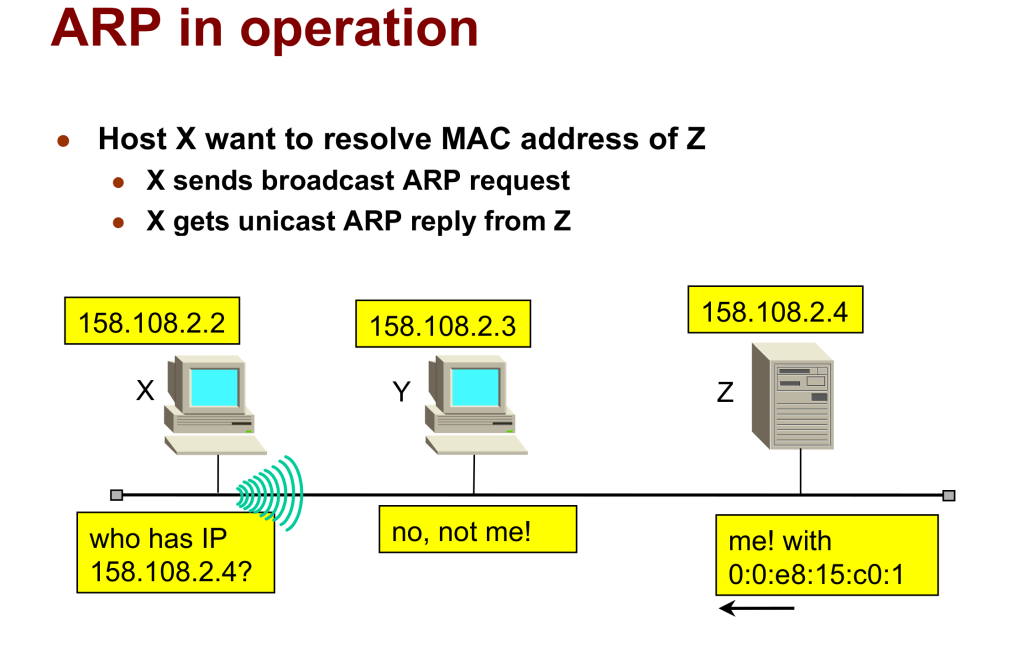
Now in LAN we give IPv4 address to each computer. To communicate with each other in LAN each computer need hardware or MAC address of Computer. To find Hardware address or MAC address of computer in LAN we need ARP(Address Resolution Protocol) Protocol. To find MAC address of computer, this ARP Protocol send broadcast request (send request to all computers in LAN) via saying I want MAC address of computer who has IPv4 address as Z and concern computer(IPv4 address Z) reply back saying that My MAC is xx:xx:xx:xx:xx:xx (48 bit, each x is 4 bit and its hex). After getting MAC address computer start communicate with each other in LAN
Example Images are as below
Here you can see X(IP address 158.108.2.2) and Z(IP address 158.108.2.4) computer want to communicate with each other so, X send braodcast (means send message all computer in LAN) ARP Request(who has IP 158.108.2.4 means which MAC addressed computer has IP address 158.108.2.4) and Computer Z(IP address 158.108.2.4) reply back to X with MAC address 00:00:e8:15:0c0:1
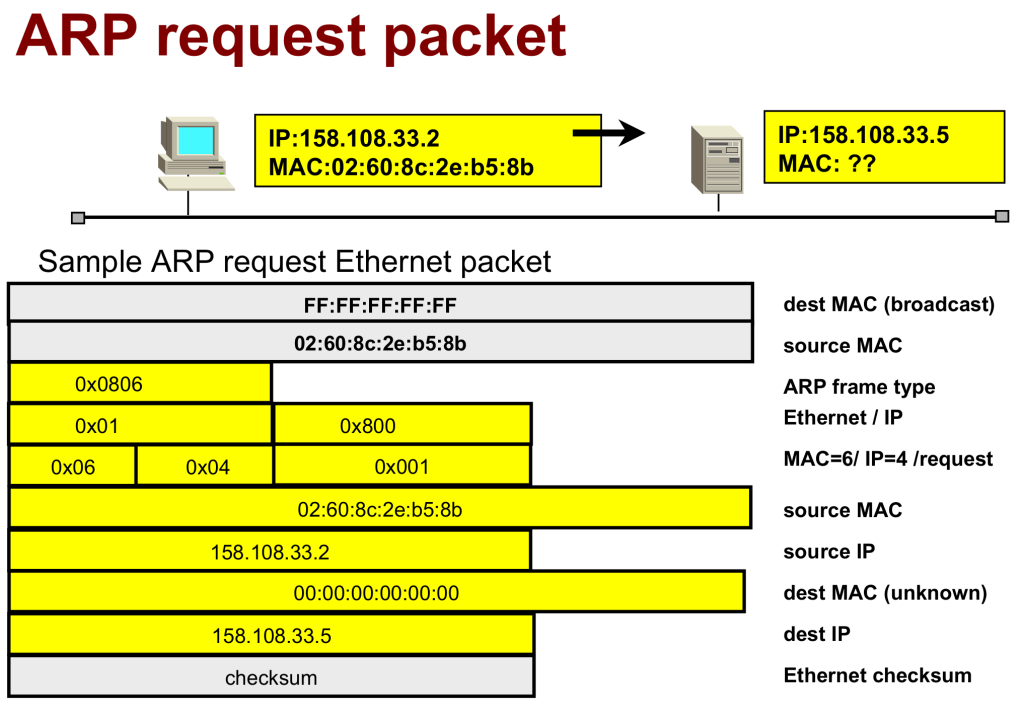
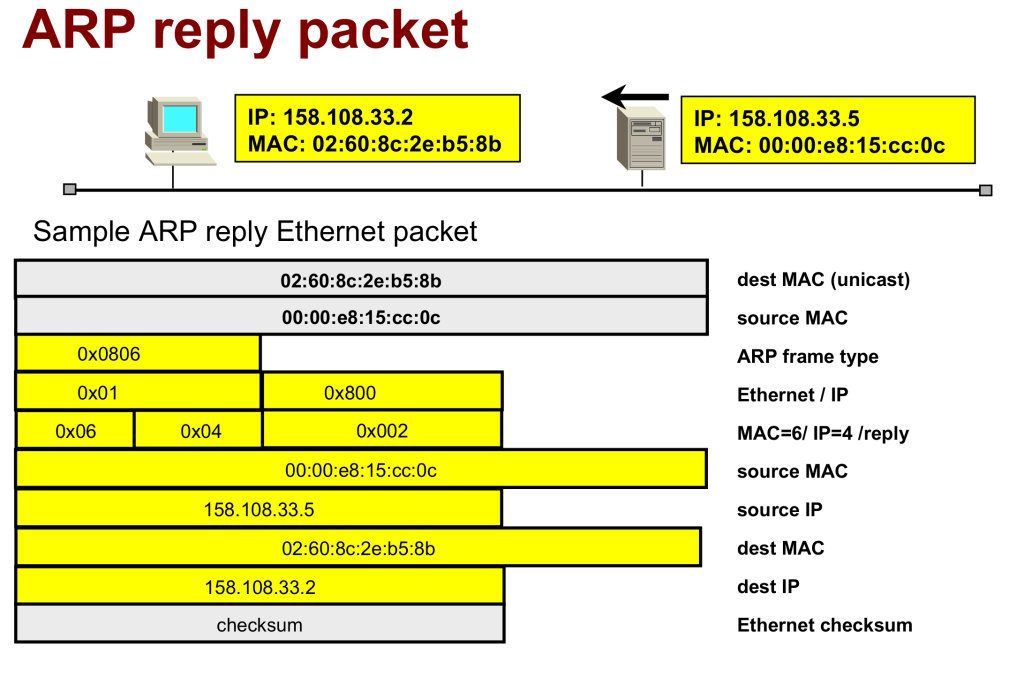
Here in below Images ARP frame/Packet is shown for Request and Response
 IT Consulting & IT Training
Leave a comment